
To remove factory radio, please follow this video:
https://www.youtube.com/watch?v=MeYUIeo8B-c&t=131s
If you have manual AC and your AC is not working, please first make sure the plastic decoder box is black and not an orange one.
Connect all matching connections including OBD II port then test for sound and A/C. Use the instructions below to adjust A/C Settings.
Connect this white plug to CANBUS decoder box:
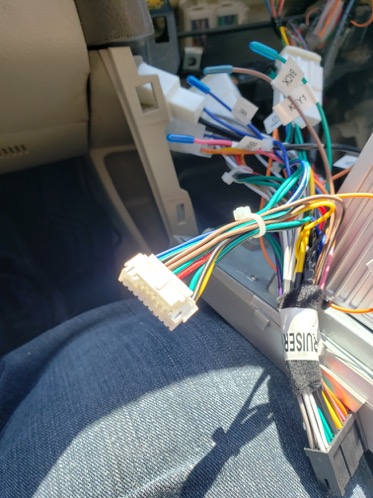
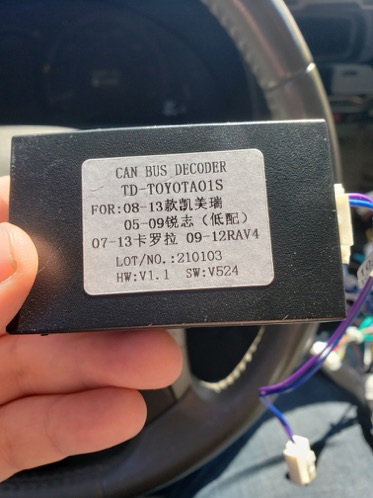
Then on the other end of the can bus box, connect a small cable with a rectangle white plug. The white plug will connect to the back of the unit. The white plug is not the exact same connection used on Camry (different wires). Picture below for illustration only.
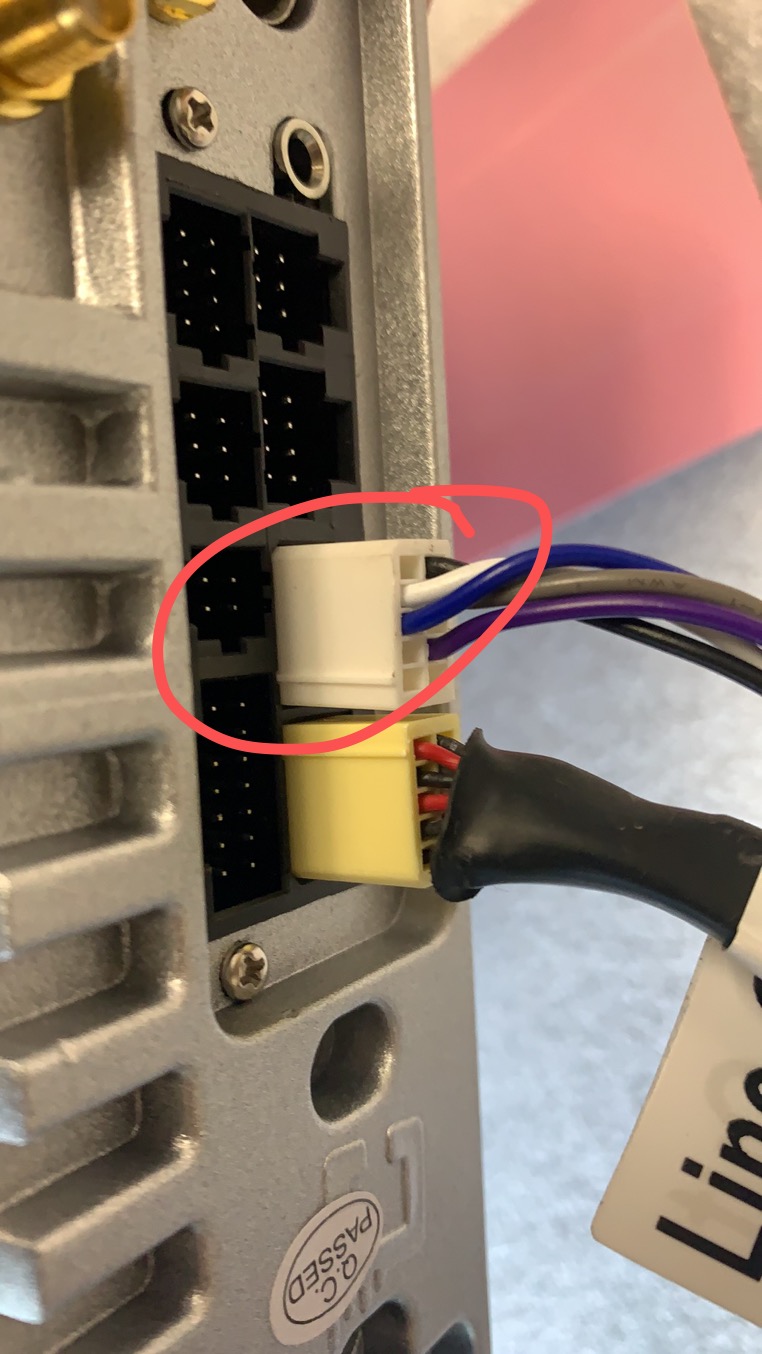
There will be connectors on both side that are not used.
Then reverse the steps to install the radio back to the dash.
Securing the radio:
Please remove the factory clips from the old radio and put them on the new radio, push the radio into the dash to engage all the clips. When clips are properly engaged, the radio will not wobble.
Please do not use the two metal plates included in the package.
Push open compartment
If the bottom compartment does not fit back into the spot, please remove the push open door from the compartment. After that the compartment should fit into the place. The radio is a bit longer than the factory.
To remove the door of the compartment, please locate a philip screw on each side of the door arm:

Hold the door in place and remove the two screws. Be careful as the spring may come out. Keep the spring the the door at a safe place.
AC settings and wiring
Please use the following to adjust the setting when you received the radio and do not have climate control:
Please go to setting on the top - choose "Install Set" on the left - 8861 - car type:
Protocol: BNR with AC
For Manual A/C: Choose Camry-L
For Auto A/C: Choose Camry-H
You can also try between 2008 or 2011 under car info.
Then go back out to the install set page to press "Save and reboot"
Please also dont forget to connect the OBD connector as well.
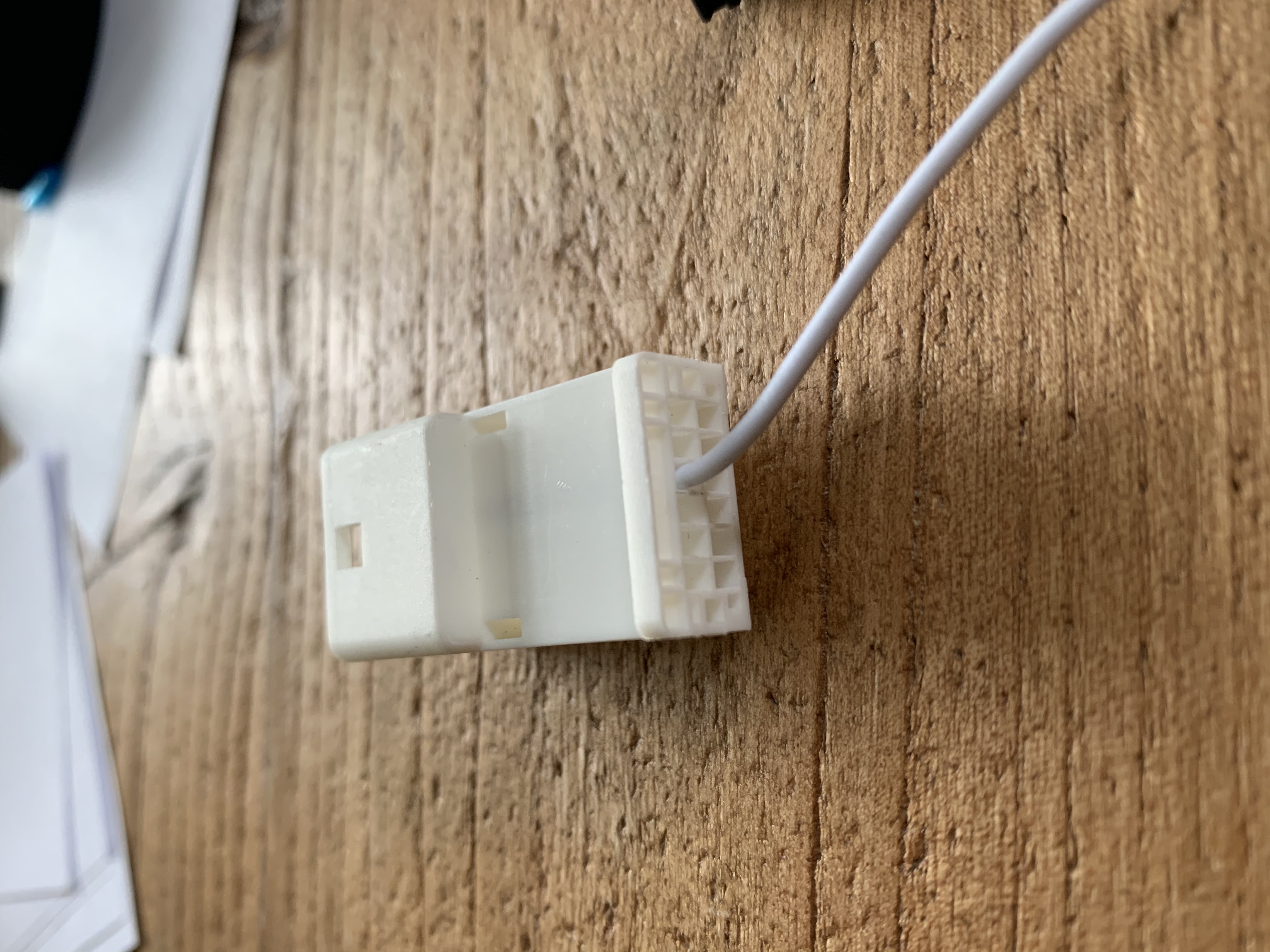
For US version of Camry, make sure you are using the orange wire on the A/C connector. If you only have 1 white wire, please switch that to the following position.
Retaining Factory Camera:
The following wiring is needed separately to retain the factory camera.
https://axxessinterfaces.com/product/AX-TOYCAM2-6V
Comments
0 comments
Article is closed for comments.