
https://drive.google.com/open?id=1C3ZzIUHgT3fFVc2g8sL0w2i9dMTlMpAZ
For backup camera not working:
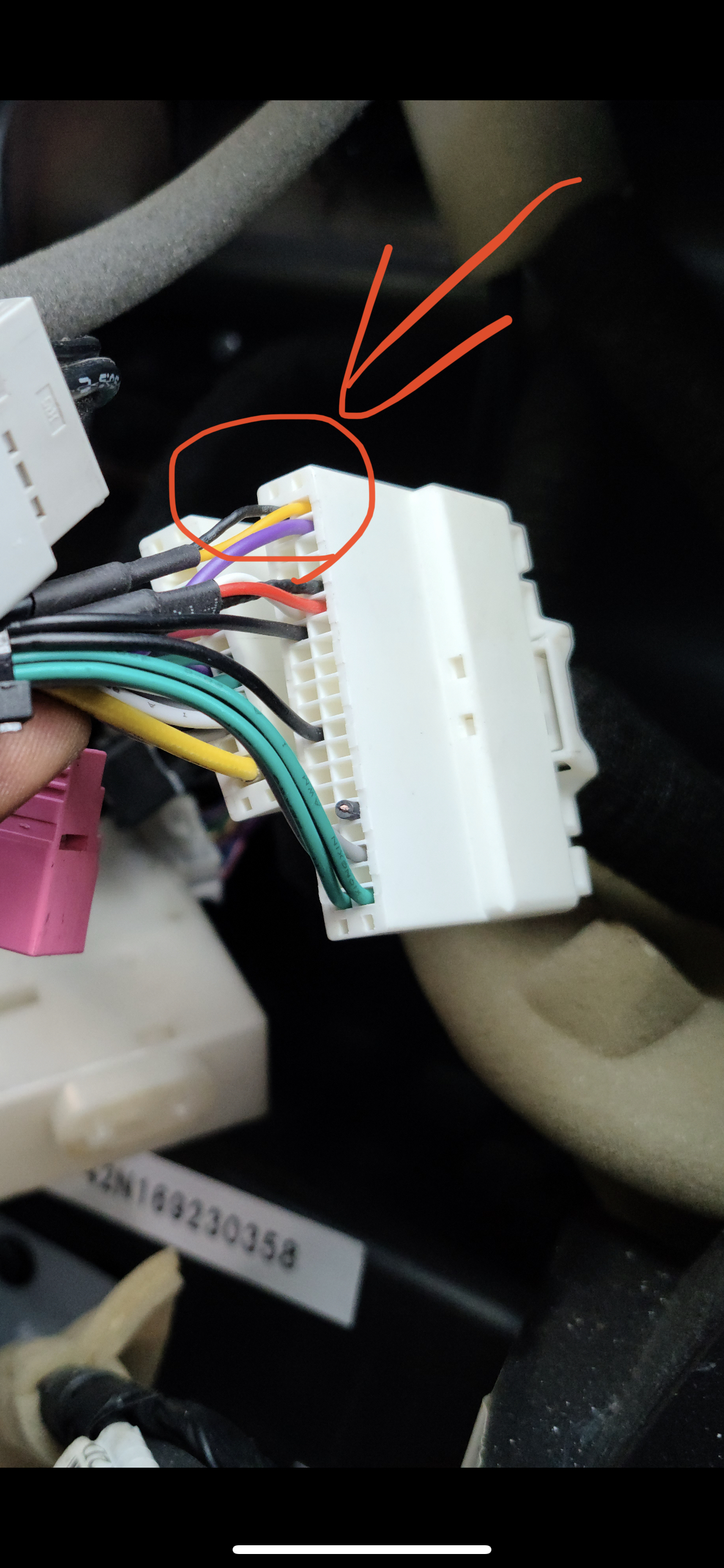
Please make sure these three wires: black, yellow and purple have continuity. To the wires on the factory side. Purple wire should supply 6V to power on camera and yellow and black wires are signal wire. Please make sure those two wires have continuity to the male RCA.
Then please use a black rectangle connector with yellow RCA with tag “cam vin” as backup input.
Lastly, please go to setting - system info - press and hold - 1688 or 1680 - user setting - find 8861 - turn off - save and reboot ( DO NOT change any other settings)
Go to setting - install set -1688 or 1680 - reverse image format - choose AHD CVBS - save and reboot.
Comments
0 comments
Please sign in to leave a comment.