
Installation and configuration:
For 08-13 Highlander:
https://www.youtube.com/watch?v=9H2omBrSq1U
Please keep factory top screen connected for steering wheel control to work.
For 13-19
https://www.youtube.com/watch?v=8ZsBQOahEQk
Follow the videos to remove your factory radio, connect matching connectors between radio and the vehicle.
AC connection:
Please connect the orange wire from the AC connector to the main harness like below:
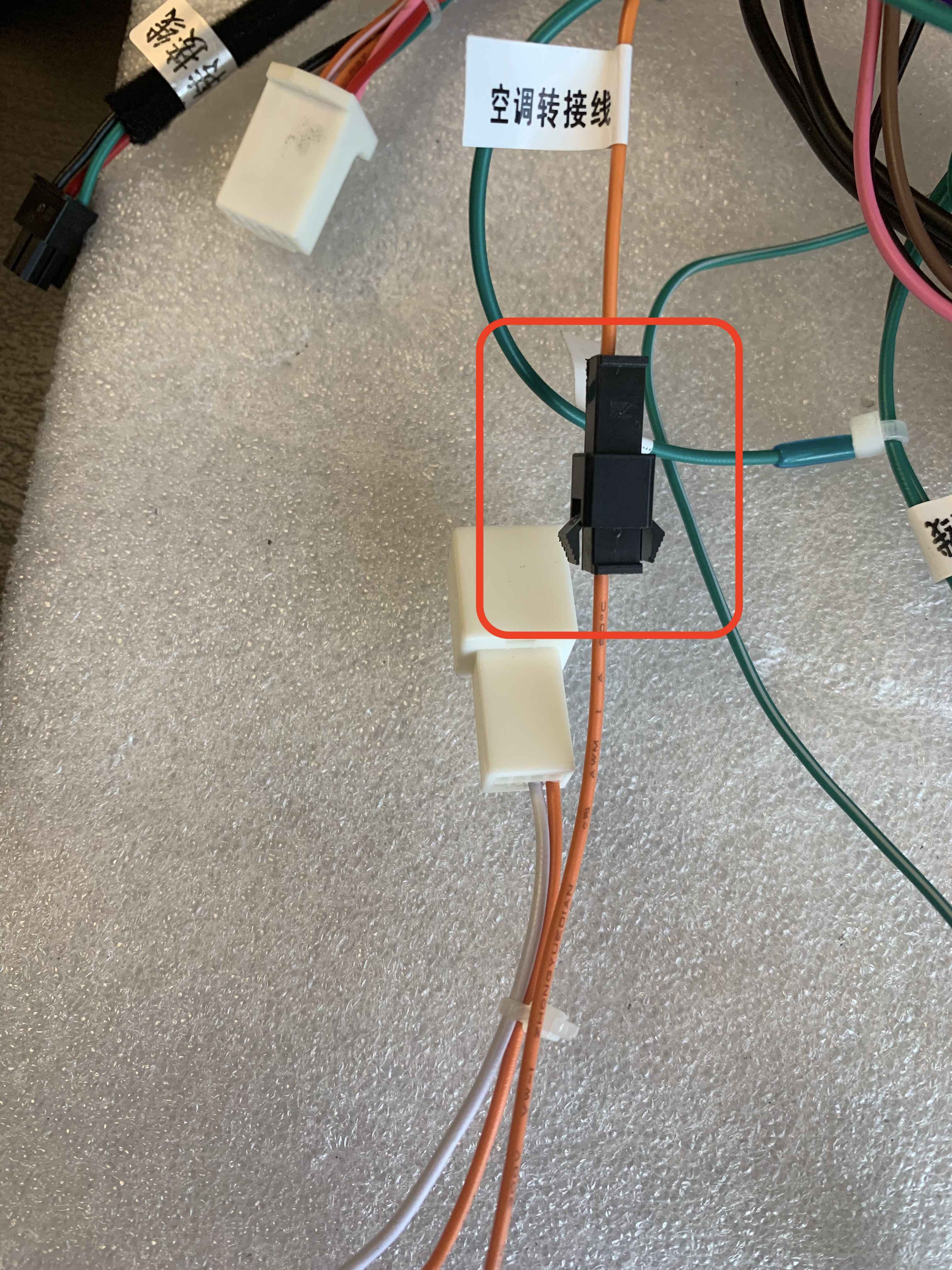
If your AC is not working, please make sure you connected the orange wire on the top and make sure the plastic decoder box is connected.
Airbag SRS light:
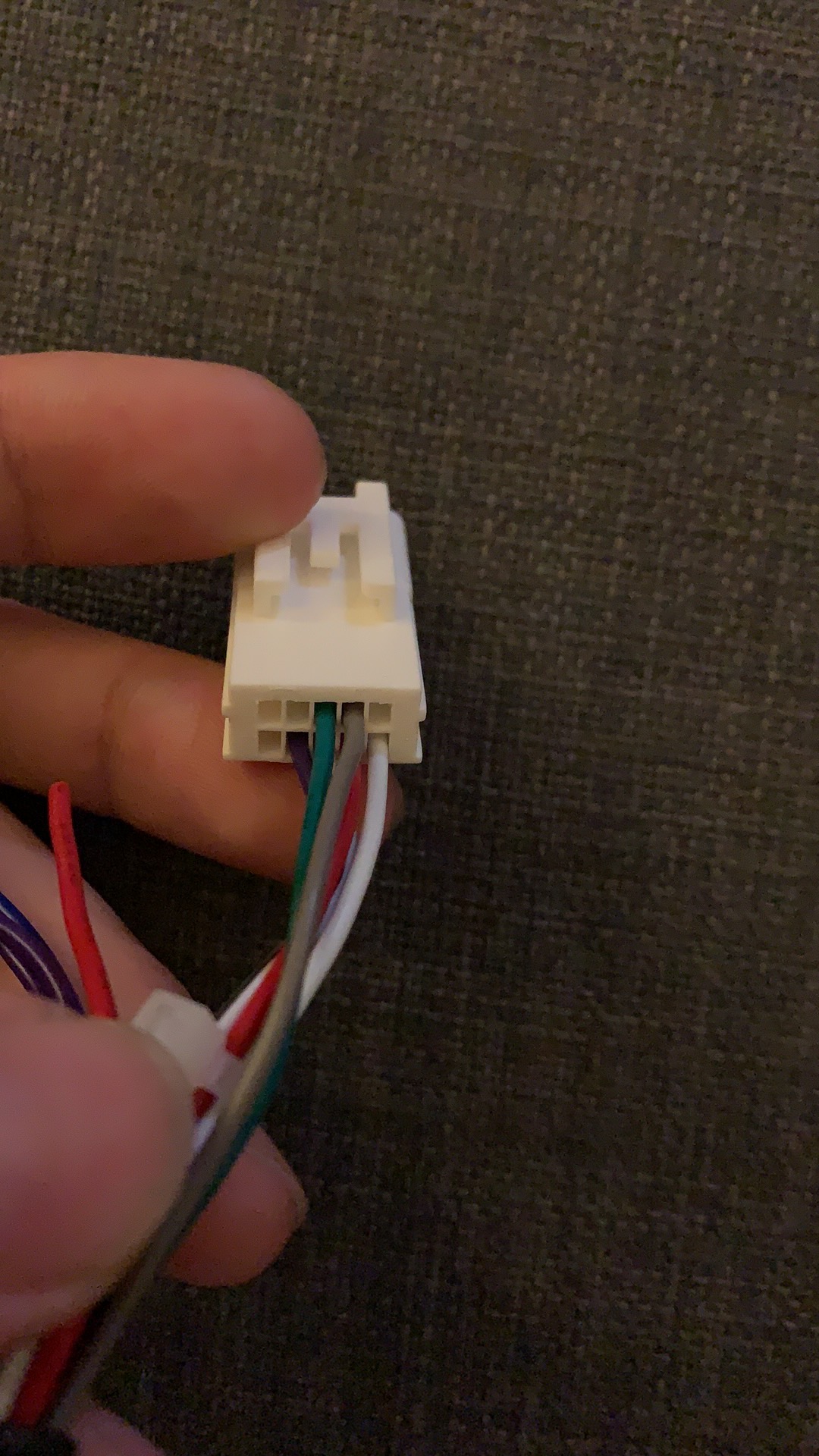
Please check if you have an orange and a purple wire behind radio side's harness at following pin spot:


If you do not have orange and purple wires like above, remove factory hazard light/passenger airbag light assembly. Connect that assembly back to vehicle. Then cut the purple wire on the white plug:

Connect the purple wire to Pin #4 on factory connector so we can have hazard control.
If you are provided with the harness that comes with airbag light adapter like below:
Please connect. the red loose wire on the left to ACC. ACC wire is a red wire on the main harness that supplies 12V when key is at ACC position.
Factory Backup Image Issue:
If your screen will automatically switch to reverse but there is no image. Please check if the small factory screen on the top is connected.
The screen is required for both steering wheel control and backup camera. Then connect this T harness between the factory screen and its connector. Connect the yellow male RCA to "Camera" on a black rectangle harness. Connect purple wire from the T harness to a brown wire with tag "back" on the black plug.


If the backup camera is displayed on the factory 8" screen instead of the info display on the top. please use the diagram below to wire up the camera.


Locate this cable in the radio harness bag:
The three pin black connector connects to the main harness.
Choose the larger one of these white connectors and check the wires behind. You should be able to find a pair of RCA connector wires, one black and one yellow. A purple wire and a black wire.
Of the two RCA wires, the black one connects to the RCA - of the diagram's pin 23. The yellow one connects to RCA+ of the diagram's pin 22.
Purple wire connects to 6V pin 24. And the black wire to ground.
Reverse trigger:
Locate a loose brown wire tagged "back" and then locate this connector:
Find pin 5 red wire on this connector. Splice the red wire to the loose brown wire.
To pair steering wheel control:
Go to setting -> wheel study.
On G6, go to setting -> system -> wheel settings.
Choose "Low Z" at the bottom. Then press speaker plus icon on the screen. The button should become grey. Then press and hold the volume plus button on the actual steering wheel. The button on screen will turn green.
Repeat the process for volume minus, previous track and next track buttons.
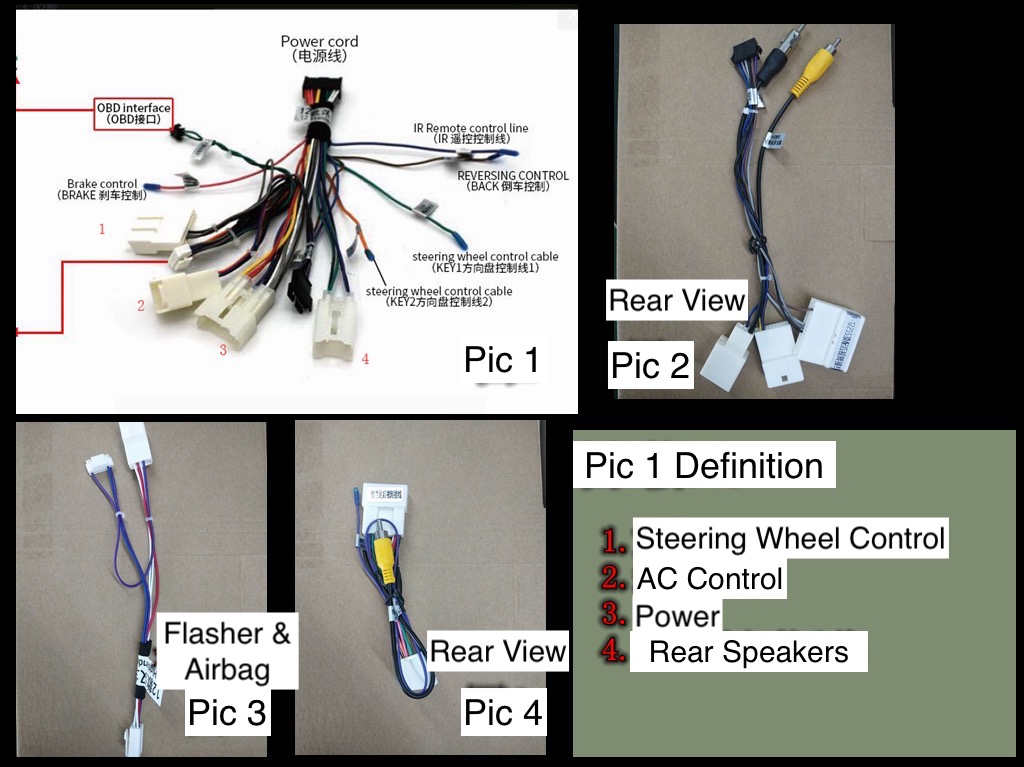
The functions of each plug is as following
Comments
0 comments
Please sign in to leave a comment.