
Please follow the video below to remove your factory radio:
https://www.youtube.com/watch?v=JFwy1mtEBGA
For model 2011-2013 13.6" radio unit, please remove the hazard strip from the factory radio.

For all 13.6" radio unit, please also remove the storage compartment below the radio.
Please locate the male connectors on the vehicle side that used to connect to the ports below:
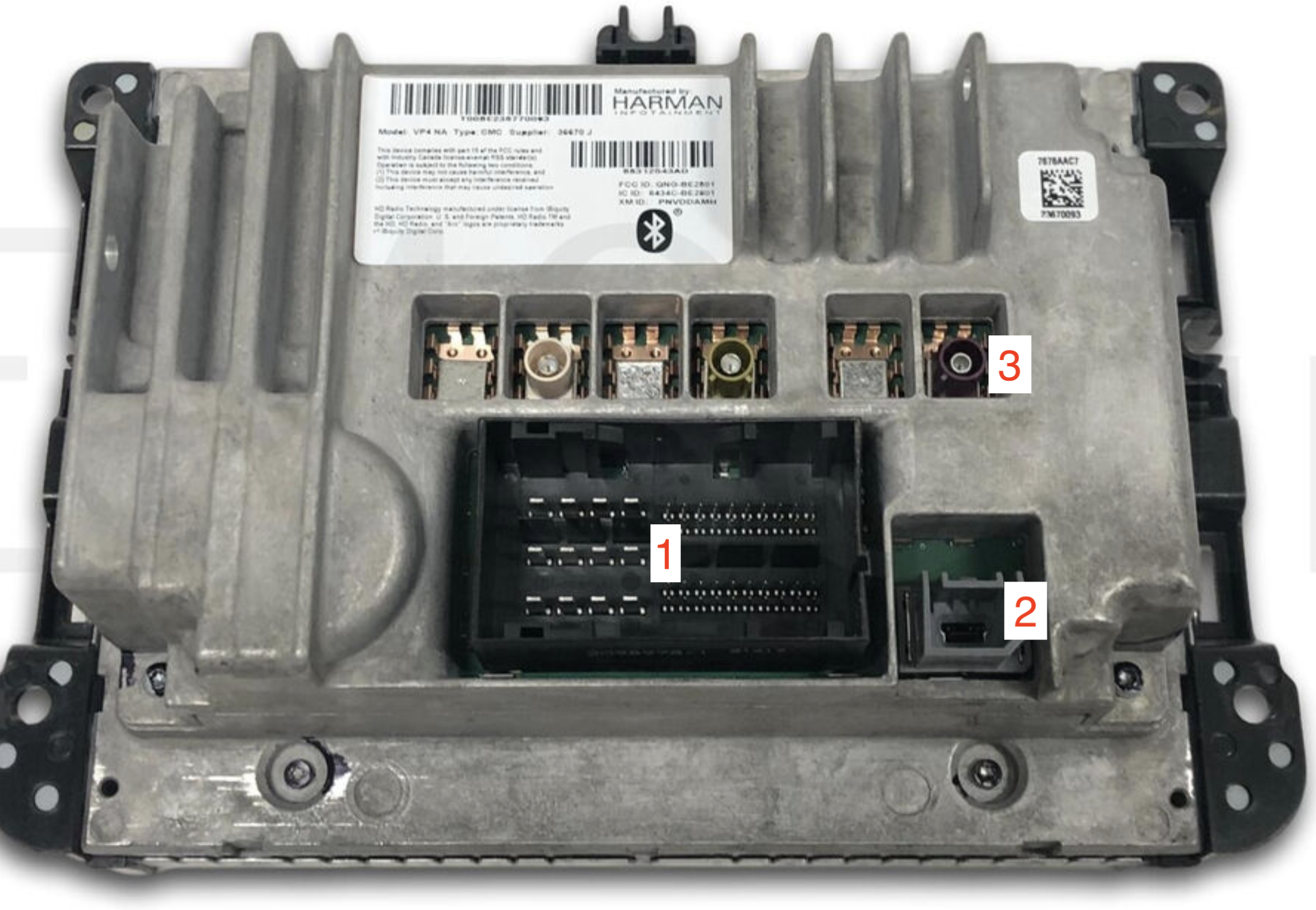

1. Power; Speakers, CANBUS
2. USB
3. Radio Antenna
Connect the main harness connector to the factory side's matching connectors.
There will also be either 1 or 2 hazard and/or AC connector behind the factory AC panel, which is separate from the radio screen. Please locate the corresponding ports behind the new unit to connect. Leave this as the last few connectors to connect as there will be no enough space to work around after connecting those plugs.
On the main harness, there is a yellow male RCA connector. It is used to retain factory camera. If your factory does not have a camera, please ignore this.
Locate a yellow female RCA connector with tag "Camera" on a black rectangle plug.
Functions of color plugs provided with the unit:
The black connector with RCAs provides video input port for backup camera, front camera and side camera. The brown wire is backup trigger. It triggers the screen when 12v is connected.
The yellow connector has pre-amp output for aftermarket amp.
Brown connector provides USB connection.
After all connectors are connected properly, turn on the unit to test functions like sound and AC control.
If your unit's functions are working fine, please ignore the following section.
If you do not have any AC control, please go to setting - advacend/install set on the left - 8861 - car type you will see a pink background page:
Check your factory panel, look for "Auto" and "Dual". If you have those, make sure the setting on the page is set to "grand cherokee H" or "Daqie H". Click on it, then in the following page you will see "protocol", "Car Info" and other options.
DO NOT CHANGE "protocol". Under "Car info" select the appropriate model year, either 11-13 or 14-19.
Vice versa, if your factory panel does not have "Auto" and "Dual" and have a manual AC control, make sure the setting on the page is set to "grand cherokee L" or "Daqie L". Click on it, then in the following page you will see "protocol", "Car Info" and other options.
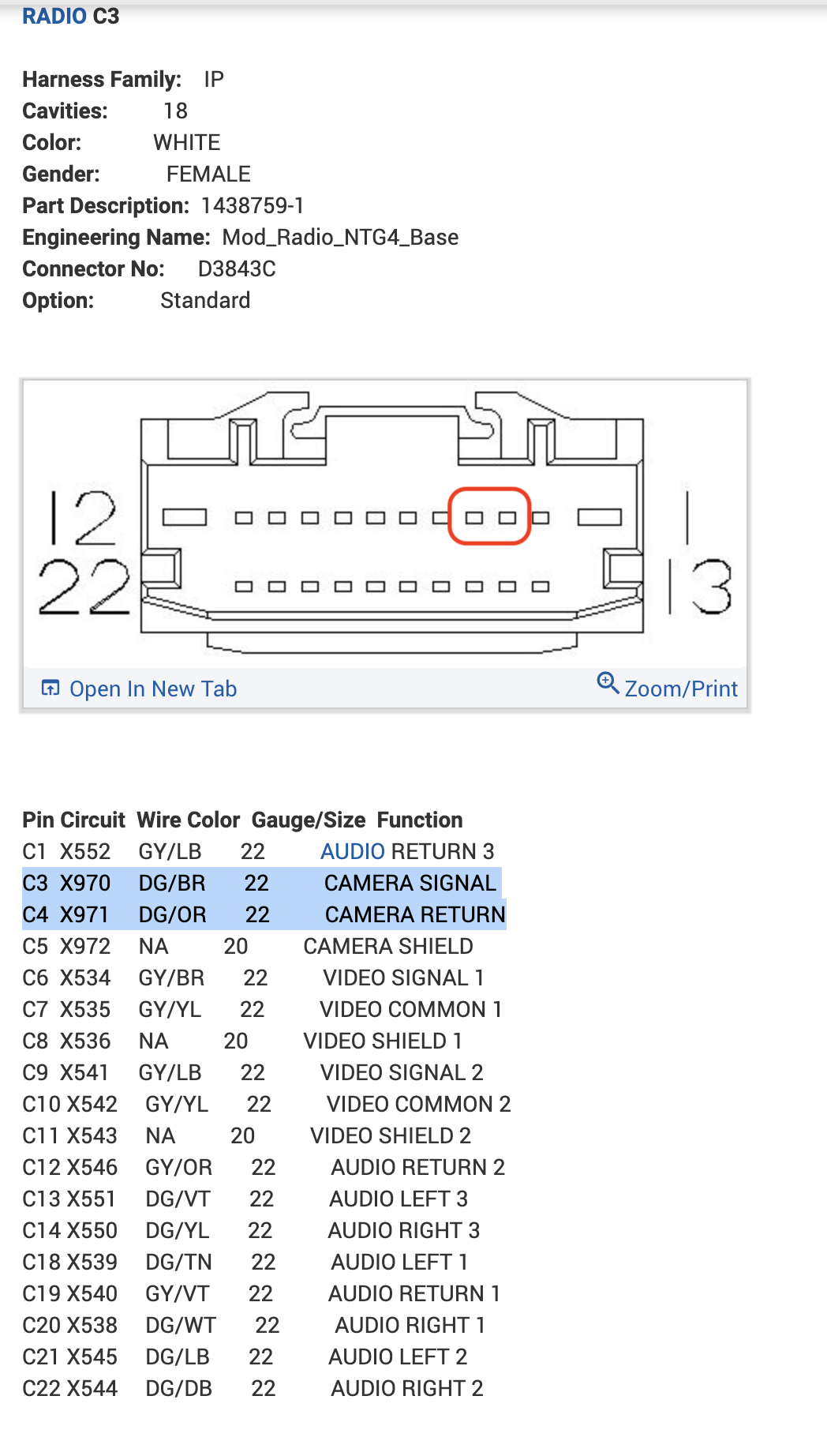
OEM Camera connection 2012:
Use a male RCA with loose wire to connect to the following OEM radio plug:
Connect Pin 3 to signal positive
Pin 4 to signal negative.
Connect the male RCA to a female RCA with tag "Camera"
Fitment issue:
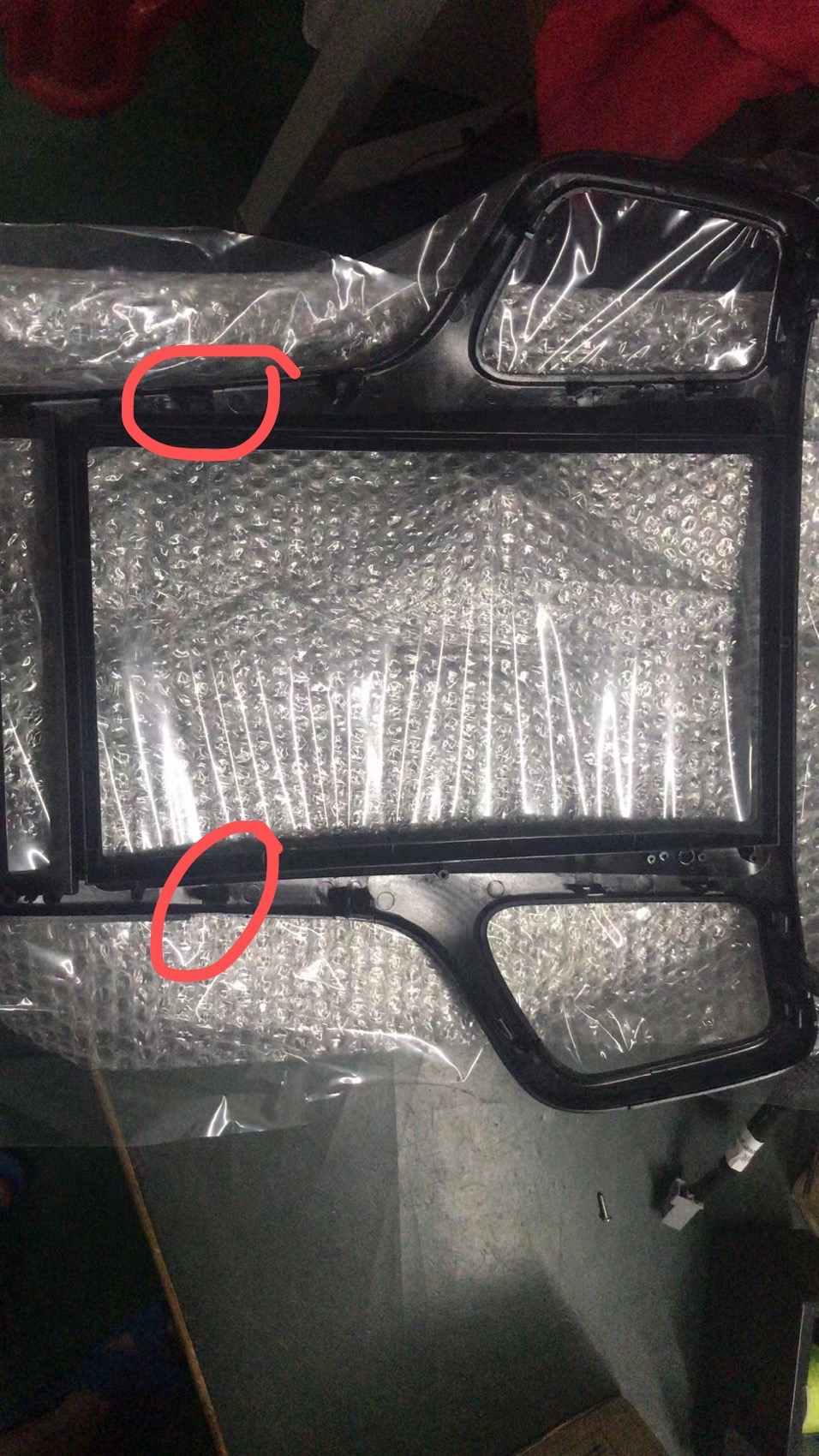
If your radio cannot close at the bottom, please use a pair of pliers or scissors to cut away these two inserts.
You only need the inserts on the top and at the bottom, since you need to bolt the radio in, you do not need extra inserts to anchor the radio.
AC and Sound settings:
For model 2014+ Premium
If your factory radio comes with premium sound system and automatic AC with heated seat and cool seat, please go to setting - install set - 8861 - choose "Daqie H" - press ok at the bottom - press bottom left corner to go back - press save and reboot.
If the sound is low with statics, please go to "Console" on the top, swipe left or right if you dont see it - choose amp info - Cul Vol or volume - turn up the number. The problem should be fixed.
For model 2014+ Base
If you have a base version with base sound system without heated seat, cool seat functions, please go to setting - install set - 8861 - choose "Daqie L" - press ok at the bottom - press bottom left corner to go back - press save and reboot.
Comments
0 comments
Please sign in to leave a comment.